

NetLimiter is shareware — you can try it, and a licence from the developer is needed for continued use.
If you need to see which application is eating the bandwidth on a Windows machine, and then cap it, NetLimiter is one of the few tools that does both properly. It is made by Locktime Software in the Czech Republic, and the current version is 5.3.27.0 (September 2026).
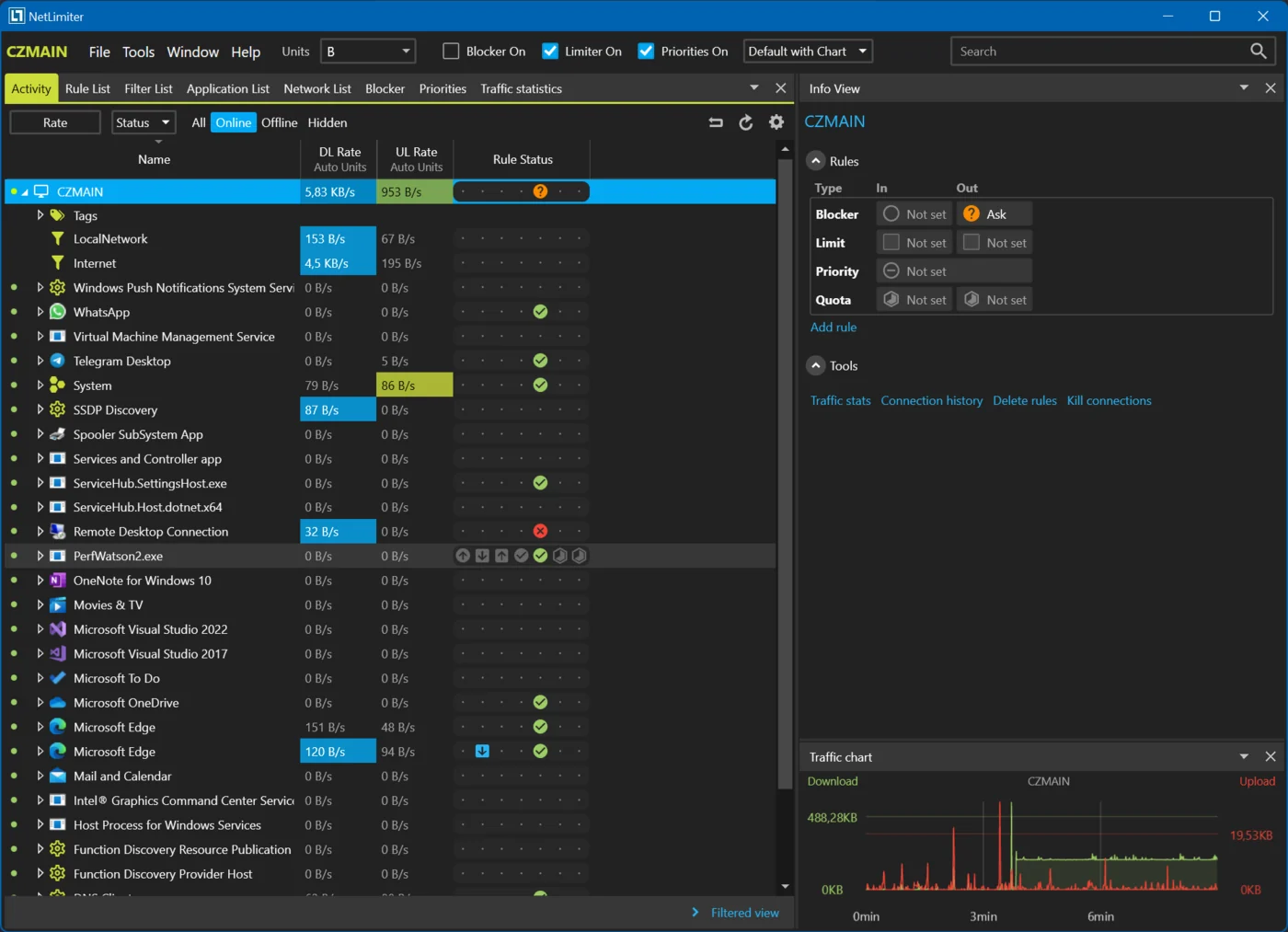
NetLimiter at a glance
| Latest version | 5.3.27.0, released 9 September 2026 |
|---|---|
| Licence | Shareware (conditionally free) |
| Platforms | Windows 7, 8, 10, 11 and Server 2008 R2 and newer |
| Rights needed | Administrator; relies on the Windows Base Filtering Engine service |
| Developer | Locktime Software s.r.o. |
What NetLimiter actually does
- Speed limits per application, per user or per single connection, separately for upload and download.
- Priorities instead of hard caps, so a background sync gives way to a video call without you setting numbers by hand.
- Connection Blocker — firewall rules with an interactive “Ask” prompt the first time an application connects.
- Live monitoring of every connection and application, with a traffic chart you can pause and browse.
- Long-term statistics stored locally, so you can answer “who used 400 GB last month” a month later.
- Quotas that automatically apply a limit or a block once a data volume is reached.
- Filters by application path, IP range, user and domain name.
- Scheduler for rules: throttle backups during work hours, release them at night.
- Remote administration of other machines running NetLimiter, with per-user permissions.
- API (a .NET library) for scripting from PowerShell.
Download and install
- Click the Download button at the top of this page and unpack the archive.
- Run the installer as administrator. There is no portable build — NetLimiter installs a service and a network driver, which is exactly why it can see and shape traffic.
- The installer pulls in .NET Framework 4.6.2 or newer and the Visual C++ Redistributable if they are missing. For mass deployment the vendor recommends installing both beforehand and using the silent-install switches.
- Reboot if the installer asks: the filtering driver loads at start-up.
Practical uses
Find the application that is saturating the line
Open the main window and sort connections by current rate. Windows Update, a cloud sync client or a game launcher downloading in the background are the usual suspects. Right-click the application and set a download limit — the change takes effect immediately, no reboot.
Keep a video call usable
Give the conferencing application a high priority and leave everything else on normal. When the link is congested, the other applications back off instead of the call breaking up.
Protect a metered connection
Set a monthly quota on the whole machine or on a single application. When the volume is reached, NetLimiter applies a limit or blocks the traffic, so a mobile tariff is not burned by one update.
Where it does not help
- It only controls the machine it is installed on. It is not a router or gateway shaper — for the whole network you need something that sits on the gateway.
- Remote administration means controlling another PC that also runs NetLimiter, not agentless management.
- Windows only. There is no macOS or Linux build.
Common problems and fixes
| Problem | What to do |
|---|---|
| “No endpoint listening at net.pipe://…NetLimiterPipe0” at start-up | The vendor attributes this to start-up “accelerators” bundled with some security suites, 360 Total Security among them. Remove the accelerator or exclude NetLimiter from it. |
| Installation on Windows 7 fails with “Windows requires a digitally signed driver” | Install the Microsoft SHA-2 code-signing update first. |
| Limits do not apply at all | Check that the Base Filtering Engine service is running and that NetLimiter was started with administrator rights. |
| The upgrade page will not load | Browser extensions that block ReCaptcha break it; disable them for that page. |
NetLimiter vs. alternatives
| Tool | How it compares |
|---|---|
| GlassWire | Better at visualising history and alerting on new connections; much weaker at actually limiting speed |
| SoftPerfect Bandwidth Manager | Shapes traffic for a whole LAN from a gateway, not for one workstation |
| Windows QoS policies | Free and built in, managed by group policy; no per-connection interface and no live view |
| SimpleWall | Free, blocks outbound connections entirely, but has no speed limiting |
FAQ
Is NetLimiter free?
It is shareware — free to try, with a licence from the developer for continued use.
Does NetLimiter slow the computer down?
It runs a service and a filtering driver, so there is a small constant overhead. On normal desktop hardware it is not noticeable.
Can it limit another computer on the network?
Only if NetLimiter is installed there too — then you can administer it remotely. For network-wide shaping you need a gateway-level tool.
Is there a portable version?
No. The network driver and the service both require a proper installation.
Is there NetLimiter for Mac or Linux?
No. NetLimiter is Windows only; there is no macOS or Linux build.
Is there a free alternative to NetLimiter?
Not one that does exactly the same job. Windows QoS policies are built in and can throttle traffic by application through Group Policy, but give you no live view. SimpleWall is free and blocks programs completely but cannot limit speed. GlassWire shows who uses the connection but is weak at limiting it.


